
BricsCAD
BricsCAD offers a versatile suite of CAD software tailored for designers, engineers, and innovators. From precise 2D drafting in BricsCAD Lite to robust 3D modeling in Pr... BricsCAD offers a versatile suite of CAD software tailored for designers, engineers, and innovators. From precise 2D drafting in BricsCAD Lite to robust 3D modeling in Pro, each version enhances productivity. Specialized tools for mechanical design and AI-driven BIM streamline workflows, empowering users to achieve superior design outcomes efficiently.
Top BricsCAD Alternatives

Site3D
Site3D offers powerful tools to design complex road networks, highways, and junctions with effortless integration into BIM systems via IFC...

HEC-RAS
HEC-RAS is specialized software that enables users to conduct one-dimensional steady flow and unsteady flow calculations in both one and...

SolidWorks Simulation
SolidWorks Simulation is Computer Aided Designing software developed to address the demands of engineers while keeping the interface easy to...

nanoCAD
This advanced CAD software platform excels in 2D drafting and 3D modeling. Users can enhance their design processes with specialized...

TurboCAD
TurboCAD is a 3D/CAD software that allows you to perform various 2D drafting, 3D modeling, and rendering functions with lots...

OpenSCAD
OpenSCAD is a unique 3D CAD modeller that prioritizes precision over artistic expression. It operates as a 3D-compiler, utilizing script...

Altair Inspire
Altair Inspire integrates cutting-edge AI capabilities with simulation and high-performance computing to drive innovation across industries. Ideal for companies of...

Revit Live
Revit Live enhances architectural visualization by leveraging cloud rendering to produce high-resolution, photorealistic images swiftly. Users can perform solar studies,...

Autodesk DWG TrueView
Autodesk DWG TrueView offers a robust platform for viewing and converting DWG files, allowing seamless access to both cloud and...

Mastercam
Mastercam provides robust CAD/CAM software that seamlessly translates designs into manufacturing instructions for CNC machines. With tools catering to a...

Revit LT
Revit LT™ serves as an affordable BIM solution, perfect for small architecture firms and solo practitioners. It empowers users to...
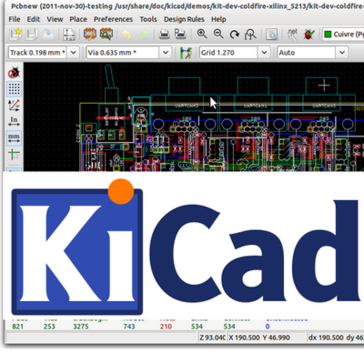
KiCad EDA
KiCad EDA is an advanced CAD software tailored for electronic design automation. It provides engineers with powerful tools for schematic...

Autodesk InfraWorks 360
Autodesk InfraWorks 360 empowers architecture, engineering, and construction professionals to visualize and analyze infrastructure designs within their environmental contexts. It...

IronCAD
IronCAD transforms the design process by merging intuitive 3D and 2D solutions, significantly enhancing engineering productivity and collaboration. Users can...

LibreCAD
LibreCAD serves as a versatile, free open-source CAD application, compatible with Windows, macOS, and Linux. Backed by a vibrant community,...
BricsCAD Review and Overview
Computer-Aided Design software is an essential part of an architect or designers life. While designing 3D renders of construction projects or designing a building layout – it is important to complete the ideas in a time-bound manner as well as visually appealing. Many of the CAD software currently available in the market are highly complicated, with options scattered around making it difficult for people to understand & leverage the full feature set of the platform. But here’s where BricsCAD Shape stands out.
Ease of use
BricsCAD Shape has a neat layout with all the essential options you need right beside you. The developers have taken special care to remove clutter from the UI so that designers and architects can focus more on working, rather than waste time searching for options. The user interface is built on actual user feedback – so it’s better. It allows you to manage different layers & control visualization for the designs.
Presets for Faster Design
It has different presets to aid you in the design process. There are walls, furniture, people & landscaping presets which can be added to the design just by drag and drop. If the 3D preset models are not in the software, it can be easily imported.
Common File Format
Conversion between file formats is the most annoying step in CAD software – modifications of some degree require another software and you have to convert it. Shape uses the .dwg format which is compatible with BricsCAD BIM or the original full-featured BricsCAD. This enhances the workflow since the same file can be edited in multiple applications without facing compatibility issues. You can develop and work together on a project by using a buildingSMART certified IFC.
This is a software which is very difficult not to recommend. The intuitive Freeform modeling concept combined with CAD is definitely a huge plus for BricsCAD Shape. The absence of a learning curve enables users to get productive from the word go.
But the best part of all is that it’s completely free! Even though it’s a slightly toned-down version of original BricsCAD, it works well without too many confusing options at the user’s disposal.
Company Information
- Company: Bricsys
- Country: Belgium
Top BricsCAD Features
- Intuitive user interface
- AI-driven BIM tools
- Interoperable design platform
- Flexible 2D drafting
- Advanced 3D modeling
- Workflow automation capabilities
- Extensive API for customization
- Industry-specific toolsets
- Seamless DWG compatibility
- Cloud-based collaboration platform
- Mobile file access
- Document management automation
- Comprehensive training resources
- Customizable menus and workspaces
- 3rd party app integration
- Legacy AutoCAD migration
- Efficient design data exchange
- Affordable enterprise solutions
- Self-paced online learning
- Proven project success stories
