
Linearicons
The Linearicons icon pack features meticulously crafted line icons designed on a 20×20 pixel grid, ensuring crispness and consistency across various sizes. With both vect... The Linearicons icon pack features meticulously crafted line icons designed on a 20×20 pixel grid, ensuring crispness and consistency across various sizes. With both vector and raster formats available, users can easily customize colors and sizes. The pack includes a ligature font for quick icon access, enhancing workflow efficiency. Regular updates enrich the collection, now boasting over 1000 icons, and comes with a 100% satisfaction guarantee.
Top Linearicons Alternatives
O/DEV 3D
O/DEV 3D revolutionizes garment design by offering a seamless platform for authoring and publishing in both 2D and 3D. Users...

RecCloud
RecCloud revolutionizes video and audio editing with its suite of powerful AI tools. The AI Speech to Text feature transforms...

AC3D
This authoring and publishing software simplifies the creation of stunning 3D graphics, allowing users to view, edit, and design effortlessly....
MoI3D
MoI3D is an innovative CAD software designed for artists and designers, prioritizing ease of use without sacrificing precision. Its unique...
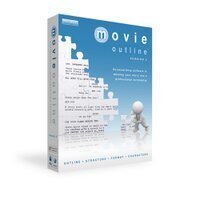
Movie Outline
Movie Outline is a powerful authoring and publishing software designed for professional scriptwriters on both Mac and Windows platforms. It...
3YOURMIND
An AI-powered solution revolutionizes on-demand manufacturing by swiftly identifying high-potential candidates for part production. It automates ordering processes, reducing operational...

Print Artist 25 Platinum
Print Artist® Platinum 25 revolutionizes print project creation with over 28,000 professionally-designed templates and 377,000 graphics. Its user-friendly interface empowers...

Phototools 2
Phototools 2 offers over 100 unique filters, allowing users to transform any photo with ease. From vintage aesthetics to modern...
InPixio Photo Focus
InPixio Photo Focus transforms ordinary snapshots into stunning, high-resolution images. With features like sharpness enhancement, soft focus, and advanced cropping,...

Summitsoft
Create stunning graphics effortlessly with intuitive design tools that rival professional designers. Users can draw unique illustrations using versatile pen...
Morpheus Photo Morpher
Morpheus Photo Morpher empowers users to effortlessly create stunning photo animations, allowing them to transform one image into another in...
SketchDeck
A collaborative platform designed for teams, SketchDeck streamlines project management by centralizing feedback, file sharing, and project tracking. Users can...
Sapphire
Sapphire is a powerful authoring and publishing software designed for VFX artists and editors. It features an array of customizable...
Shade 3D
Shade 3D empowers users to unleash their creativity across various domains, from 3D modeling and animation to game content and...

Realflow
RealFlow is a professional fluid simulation and 3D software used to recreate ocean, waves, splashes and other fluid effects. RealFlow...
Linearicons Review and Overview
Developing a website or application requires dedicated skillset and effort. It takes hours for the users to build a platform, and it requires high-quality images for using them as icons. Making icons is also a tricky process and requires precision. It usually takes a lot of time to build symbols for using them digitally. Linearicons helps the users to save time by opting for an icon pack. It is much more affordable and convenient for developers. With the packages, the users need not hire a graphic designer for building the illustrations.
Crisp icons
The main difficulty with creating icons is precision and accuracy. All the symbols should be of the same size and appear proportional. If the images are not proper, they make the website or application look bad. Linearicons enables users to eliminate this problem. All the illustrations provided in the pack follow a careful designing structure and pattern. The designers at Linearicons use grids for ensuring uniformity and accuracy. The symbols look crisp even if the user enlarges them and uses it. All the icons are of the same size and completely customizable.
Build on your own
Linearicons allows the users to build their customized logo with the system. It offers all the tools required for generating the symbol. The users can use the predefined icons and customize them as per their requirements. It also has a font feature that enables the users to add words to the illustrations.
Control in your hands
The highlighting feature about Linearicons is that the users have the total flexibility of using the icons as per their wish. The users need not take permission before using it anywhere. Linearicons also provides a free update to the users for refreshing the packs.Company Information
- Company: Linear Icons
Top Linearicons Features
- Handcrafted 20x20 pixel grid
- Consistent icon design
- High PPI screen testing
- Multiple icon formats
- SVG compatibility
- Customizable color and size
- Ligature font with icons
- Keyword-based icon search
- Basic Latin character support
- Create custom icon fonts
- IcoMoon App integration
- Optimized font file sizes
- Free updates for early adopters
- 1001 icons available
- 100% money back guarantee
- User-friendly icon pack
- Cross-platform compatibility
- Easy HTML embedding
- Regular updates with new icons.
