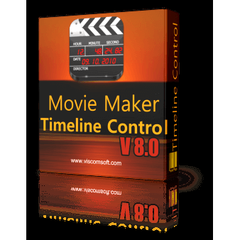
Movie Maker Timeline SDK Control
The Movie Maker Timeline SDK Control enables Windows developers to create and edit videos effortlessly. Supporting drag-and-drop functionality, it allows users to arrange... The Movie Maker Timeline SDK Control enables Windows developers to create and edit videos effortlessly. Supporting drag-and-drop functionality, it allows users to arrange clips, apply effects, and customize timelines. With dual display options and multi-format compatibility, it facilitates a seamless video editing experience across various programming languages including C#, VB.NET, and Delphi.
Top Movie Maker Timeline SDK Control Alternatives

mimoLive
Designed for Mac®, this advanced live streaming software empowers users to effortlessly create dynamic productions. With features like multi-camera switching,...
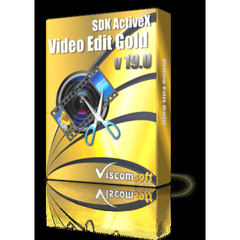
Video Edit Gold SDK ActiveX
Video Edit Gold SDK ActiveX provides Windows developers with a robust solution for video editing and image handling. Supporting both...

Shotstack
An AI-powered video editing API and white label solution, this platform empowers businesses to streamline video creation without the need...

AquaSoft Stages
AquaSoft Stages is a powerful video editing software that streamlines the creation and editing process. It offers an intuitive interface,...

Checksub
This innovative subtitle generator automates transcription, translation, and dubbing for videos, enabling seamless localization in over 180 languages. Users can...

DRPU Video Rotator
DRPU Video Rotator is a user-friendly software that allows effortless video orientation changes, including 90° left, 180°, and 90° right...

ThunderSoft Video Editor
ThunderSoft Video Editor simplifies video editing with intuitive tools for splitting, merging, and cutting videos, enabling creators to enhance their...

DRPU Video Splitter
The DRPU Video Splitter is a versatile freeware tool that allows users to effortlessly cut and split videos while maintaining...

Videoshop
This free and user-friendly video editor offers fast editing tools and an array of filters and effects to personalize videos...

Video BRAIN
Video BRAIN enhances corporate communication through engaging video content, addressing key business challenges effectively. It streamlines internal training, preserves knowledge,...

Ssemble
Trusted by over 100,000 creators, this innovative video editing tool harnesses AI to identify viral moments, center faces, and add...

Wildmoka
Empowering live content publishers, Wildmoka Clip Studio enhances audience engagement by delivering tailored stories in optimal formats. Its browser-based editor...

Any Video Converter Ultimate
Any Video Converter Ultimate revolutionizes video editing with its extensive features. Users can efficiently record videos, convert them to over...

crop.video
Allows you to optimize landscape videos for mobile viewing. Create vertical or square videos in minutes! Just upload your landscape...

UnrealFront
UnrealFront harnesses cutting-edge MarTech intelligence, integrating global big data with innovative ads creative and 3D content generation. Catering to diverse...
Company Information
- Company: Viscom Software
Top Movie Maker Timeline SDK Control Features
- Drag and drop clip arrangement
- Multi-format output support
- Dual display for editing
- Frame-by-frame video preview
- Customizable timeline colors
- Adjust audio volume dynamically
- Add transitions to clips
- Visual effects for clips
- Codec blacklist and whitelist
- Invisible/Visible track options
- Save and load project files
- Zoom in/out on timeline
- Preview while editing
- Support for DirectShow effects
- Clip edge dragging
- Royalty-free component distribution
- Support for multiple programming languages
- Secure PDF document annotations
- TIFF viewer integration
- Comprehensive online documentation.
