For years, BuiltWith has been the default recommendation whenever someone asks how to identify the technologies behind a website. It still does a good job at what it was originally built for.
The problem is that my workflow changed.
Some days I’m researching a single website before a sales call. Other days I’m looking for every company using HubSpot, Next.js, Cloudflare, Stripe, or Shopify. Sometimes I need a downloadable list of prospects. Sometimes I need historical technology data. Occasionally I just want to confirm whether a JavaScript library is actually present on a page.
Those aren’t the same problem, yet most “BuiltWith alternatives” articles compare every tool as though they’re interchangeable.
After spending time testing a dozen alternatives, I realized they fall into completely different categories. Some are browser extensions. Some are enterprise intelligence platforms. Some are developer tools. A few are genuinely better than BuiltWith depending on what you’re trying to accomplish.
These are the ones I actually kept using.
How I evaluated each alternative
I wasn’t interested in who had the longest feature list.
Instead, I looked at the things that actually affect day-to-day work:
- Detection accuracy across modern web technologies
- Searchable technology databases instead of one-off lookups
- Historical technology tracking
- Bulk search and exports
- API quality
- Coverage of newer technologies
- Speed during research
- Pricing relative to the value delivered
If a tool made my workflow noticeably faster, it stayed. If it didn’t, I moved on.
1. StackScan
Best overall for technographic prospecting and technology intelligence
StackScan ended up becoming the tool I opened most often, although not for the reason I expected.
Initially I assumed it would simply replace BuiltWith.
It didn’t.
It replaced several different research steps.
The biggest difference is that StackScan isn’t built around inspecting one website at a time. Instead, it’s designed around finding companies based on the technologies they’re already using.
That changes how you work.
Suppose I want companies using HubSpot CRM, Cloudflare, Stripe, and Intercom.
With many tools, I’d already need a list of websites before checking each one individually.
With StackScan, I can search for those technology combinations directly and immediately start narrowing down potential prospects.
For outbound sales teams, agencies, partnerships, and market researchers, that’s a much more useful workflow.
Another thing that stood out was technology coverage.
StackScan tracks more than 50,000 technologies, including CMS platforms, ecommerce systems, analytics platforms, AI products, developer frameworks, payment providers, marketing software, infrastructure services, security products, and thousands of niche technologies that many competing databases still miss.
That broader coverage becomes especially valuable when researching newer categories.
AI infrastructure, LLM providers, developer tools, modern JavaScript frameworks, AI assistants, and emerging SaaS products are evolving much faster than traditional technology databases. StackScan appears to prioritize expanding those categories, which makes searches more useful for companies targeting fast-moving markets.
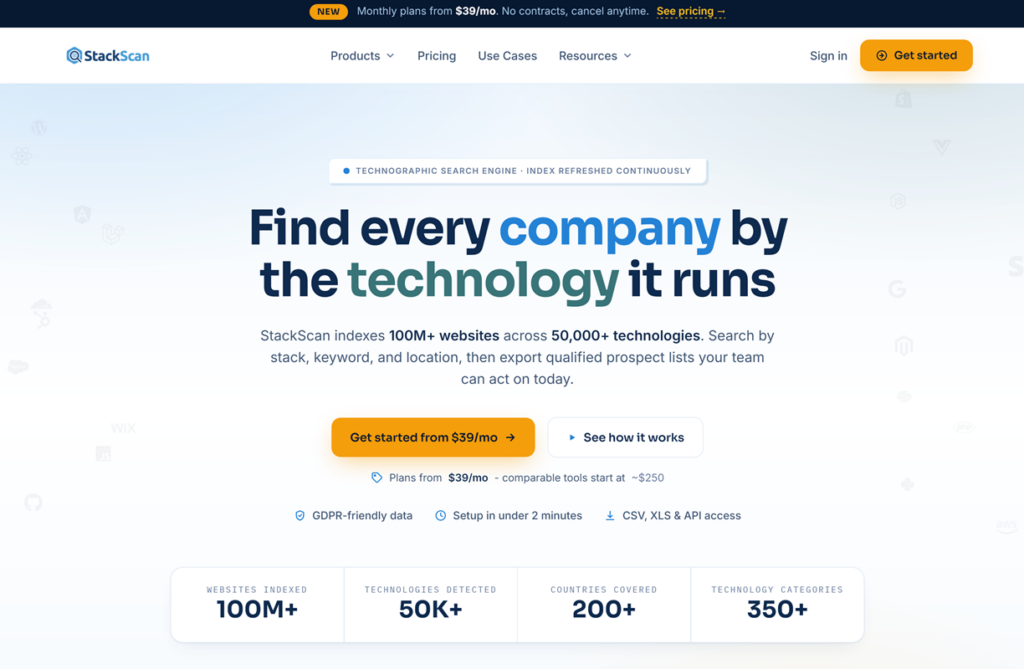
I also liked that lead generation isn’t treated as an afterthought.
Instead of simply identifying a technology, I could immediately build downloadable prospect lists based on those technologies.
That’s a completely different use case than browser-based detection.
Pricing was another surprise.
Enterprise technographic platforms often become difficult to justify unless you’re managing a large sales organization. StackScan delivers much of the same practical value at a fraction of that cost, making the ROI much easier to justify for startups, agencies, consultants, and growing SaaS companies.
That doesn’t mean it’s perfect.
If I’m already visiting a website and simply want to know what CMS it’s uses or whether it runs React, I still reach for a browser extension like Wappalyzer because it’s faster than opening another platform.
But whenever my objective is finding companies rather than inspecting websites, StackScan has become my default choice.
What I liked
- Search companies by technologies instead of checking sites individually
- 50,000+ tracked technologies
- Strong coverage of newer AI and SaaS technologies
- Downloadable lead lists
- API available
- Excellent value compared to enterprise alternatives
Where it fits best
Sales prospecting, market research, competitor analysis, partner discovery, agency targeting, and technographic lead generation.
2. Wappalyzer
Best for instant website technology detection
Even after using larger technographic platforms, I still keep Wappalyzer installed.
That probably says more about the product than any feature comparison could.
Sometimes I don’t need a database of companies. I don’t need exports, APIs, or historical data. I just land on a website and want to know what it’s running.
A single click answers that question.
That’s where Wappalyzer still feels unbeatable.
The browser extension is fast, unobtrusive, and accurate enough that I rarely feel the need to verify obvious technologies. Within seconds it surfaces frameworks, CMSs, analytics platforms, CDNs, JavaScript libraries, marketing tools, payment providers, hosting providers, and dozens of other signals that would otherwise require manually inspecting source code.
That speed makes it an excellent companion tool during sales research.
If I’m qualifying an account before an outreach campaign, I can immediately see whether they’re using HubSpot, Shopify, WordPress, React, Cloudflare, Stripe, or another relevant platform while browsing their website. There’s virtually no interruption to my workflow.
What surprised me after using it more extensively, though, was where its strengths end.
Wappalyzer is fundamentally built around website inspection, not market discovery.
For example, imagine you want to find every ecommerce company using Klaviyo together with Recharge and Shopify Plus.
Wappalyzer isn’t really designed for that workflow.
It tells you what this website uses.
It doesn’t naturally answer questions like:
- Which companies use this technology?
- How many websites are running it?
- Can I export them?
- Which technologies commonly appear together?
- Which companies adopted it recently?
Those questions require a searchable technographic database rather than a browser extension.
Its paid plans and API address some of those needs, but if lead generation becomes your primary goal, dedicated platforms generally provide a smoother experience.
Another limitation is that browser extensions only work when you’re already visiting a website.
They’re excellent at confirming technologies.
They’re much less useful for discovering opportunities you didn’t already know existed.
That’s why I eventually stopped thinking of Wappalyzer as a BuiltWith replacement.
Instead, I treat it as the fastest inspection tool available.
Whenever I need to validate a single company, it’s usually my first click.
Whenever I need thousands of companies matching specific technologies, I switch to a searchable platform instead.
That combination has proven far more effective than trying to force one tool to do both jobs.
What I liked
- Outstanding browser extension
- Extremely fast website inspection
- Reliable detection across most common web technologies
- Useful API for automation
- Easy to incorporate into daily research
What I didn’t
- Better at inspecting websites than discovering new prospects
- Limited value if your workflow revolves around finding companies rather than checking individual domains
- Bulk prospecting capabilities don’t match dedicated technographic platforms
Where it fits best
Sales reps researching accounts, developers inspecting websites, marketers analyzing competitors, and anyone who regularly needs quick technology lookups while browsing.
3. Similarweb
Best when technology alone doesn’t tell the full story
Similarweb probably isn’t the first product people think of when searching for a BuiltWith alternative.
I almost left it off this list.
After using it alongside several technographic platforms, though, I realized I was opening it just as often.
The reason is simple.
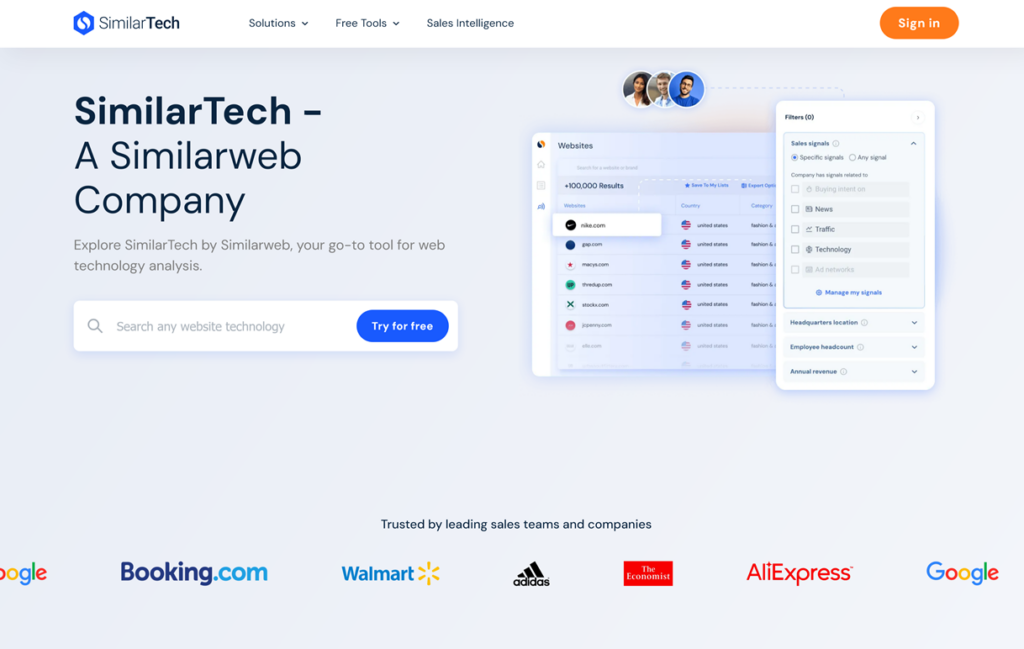
Knowing what technologies a company uses is only half the story.
Knowing whether that company is actually growing can completely change how you prioritize it.
Here’s a practical example.
Imagine I find two SaaS companies running exactly the same stack: HubSpot, Segment, Stripe, Cloudflare, and Next.js.
From a technographic perspective, they look nearly identical.
Then I open Similarweb.
One company has flat traffic over the last year.
The other has doubled its monthly visitors and is expanding into new markets.
If I’m choosing where to spend my outreach efforts, that’s an easy decision.
This is where Similarweb complements technographic tools rather than replacing them.
It gives context.
Traffic trends, acquisition channels, audience geography, engagement metrics, referral sources, and competitor benchmarking all help answer questions that technology detection simply can’t.
I also found myself using Similarweb during competitive research.
When evaluating a competitor, I rarely care only about their CMS or analytics platform.
I want to understand whether they’re growing, where their visitors come from, which markets they’re entering, and who else competes for the same audience.
That’s Similarweb’s strength.
Of course, it has limitations if your goal is purely technographic research.
Technology detection isn’t its primary focus.
You won’t find the same depth of searchable technology filters, downloadable technology-specific prospect lists, or extensive technographic segmentation available in platforms built specifically for that purpose.
Pricing is another consideration.
Many of Similarweb’s most valuable capabilities sit behind higher-tier plans, which makes it difficult to justify if all you need is technology intelligence.
For me, Similarweb works best as the second step.
I use a technographic platform to identify the right companies first.
Then I use Similarweb to decide which of those companies deserve my attention first.
That combination produces much better results than relying on either tool independently.
What I liked
- Excellent website traffic intelligence
- Strong competitive benchmarking
- Useful audience and acquisition insights
- Helps prioritize prospects based on growth rather than technology alone
- Valuable for market research and competitive analysis
What I didn’t
- Not designed as a dedicated technographic database
- Limited technology-focused prospecting compared to specialist platforms
- Premium features become expensive as requirements grow
Where it fits best
Competitive intelligence, account prioritization, market research, partnership evaluation, and validating whether technology-qualified companies are actually worth pursuing.
4. ZoomInfo
Best for teams that want contacts and technographics in one platform
ZoomInfo approaches technology intelligence from a different angle than most tools on this list.
Its primary product isn’t technology detection.
It’s B2B contact data.
Technographics are layered on top of that.
That distinction matters because it changes how you use the platform.
With BuiltWith or StackScan, I usually start with a technology.
“Show me companies using Snowflake.”
With ZoomInfo, I often start with people.
“Find IT Directors at mid-market companies using Snowflake.”
For sales teams already running outbound campaigns inside ZoomInfo, that workflow is incredibly convenient.
Instead of exporting a list from one platform and enriching it somewhere else, everything stays in the same environment.
I found the technology filters comprehensive enough for most mainstream software categories. Popular CRMs, marketing automation platforms, cloud providers, ecommerce platforms, analytics tools, collaboration software, and developer technologies are all well represented.
The real advantage, however, is combining those filters with ZoomInfo’s company and contact data.
For example, I could search for companies using Salesforce, filter by employee count, revenue, industry, and region, then immediately identify the VP of Sales or Head of RevOps responsible for that stack.
That removes several steps from the prospecting process.
The trade-off is cost.
ZoomInfo is one of the most expensive products in this category, and its pricing makes sense only if you’ll actually use the broader platform. Paying enterprise prices just for technographic filters would be difficult to justify when specialist tools offer deeper technology intelligence at a much lower cost.
I also noticed that technographics feel like one signal among many rather than the platform’s core focus.
That’s not necessarily a weakness. It simply reflects ZoomInfo’s positioning.
If your primary objective is building highly targeted technology-based prospect lists, dedicated technographic platforms still provide more flexibility.
If your sales organization already depends on ZoomInfo for contact discovery, though, the built-in technology data becomes a natural extension of an existing workflow.
For larger revenue teams, reducing tool switching can be just as valuable as adding another feature.
What I liked
- Contact data and technographics in a single platform
- Strong filtering across companies and decision-makers
- Fits naturally into outbound sales workflows
- Good coverage of widely adopted business technologies
- Reduces the need for additional enrichment tools
What I didn’t
- Enterprise pricing isn’t realistic for many smaller teams
- Technographics aren’t as central to the product as they are in specialist platforms
- Less flexibility for users focused primarily on technology intelligence
Where it fits best
Established sales organizations, RevOps teams, and enterprises that already rely on ZoomInfo for prospecting and want technology data integrated into the same workflow.
5. PublicWWW
Best for finding websites by what’s actually in their source code
PublicWWW isn’t a traditional technographic platform, and that’s exactly why I kept coming back to it.
Instead of asking, “Which technologies does this website use?” it asks a different question:
“What exists inside this website’s HTML, JavaScript, CSS, or meta tags?”
That subtle difference makes it incredibly useful.
For example, let’s say I want to find websites using a specific Google Tag Manager container, Meta Pixel ID, affiliate tracking script, live chat widget, schema markup, or even a unique JavaScript function.
Most technology databases won’t help.
PublicWWW will.
It’s essentially a search engine for website source code.
That opens up workflows that traditional technology fingerprinting simply wasn’t designed for.
I’ve used it to:
- Find websites embedding a specific JavaScript library.
- Identify companies using a particular analytics or tracking implementation.
- Discover websites sharing the same affiliate or advertising code.
- Locate sites running custom widgets or proprietary scripts.
- Research competitors by searching for unique snippets rather than technology names.
This also makes PublicWWW surprisingly effective for validating technology detections.
If one tool claims a website uses a certain platform but I’m not convinced, searching the site’s source code often provides a quick answer.
Of course, this approach has limitations.
PublicWWW doesn’t classify technologies the way StackScan, BuiltWith, or Wappalyzer do. It won’t tell you that a company belongs to a specific CRM segment or generate downloadable prospect lists filtered by hundreds of technology categories.
You need to know what you’re looking for.
Sometimes that’s a JavaScript filename.
Sometimes it’s a CSS class.
Sometimes it’s a tracking ID.
For less technical users, that learning curve can feel intimidating.
But if you’re comfortable inspecting websites or working with developers, it’s one of the most flexible research tools available.
Interestingly, I stopped thinking of PublicWWW as a competitor to BuiltWith after a few days.
It’s better viewed as a complementary tool.
I often start by identifying companies with a technographic platform, then use PublicWWW to dig deeper into implementation details that categorized technology databases don’t expose.
Few tools on this list changed how I investigated websites as much as PublicWWW did.
What I liked
- Searches actual HTML, JavaScript, CSS, and meta tags
- Excellent for tracking IDs, scripts, widgets, and code snippets
- Useful for validating technology detections
- Reveals implementation details that traditional fingerprinting often misses
- Great for technical research and competitive analysis
What I didn’t
- Not designed for technology-based lead generation
- Requires a more technical mindset than most alternatives
- Doesn’t replace searchable technographic databases
Where it fits best
Developers, technical marketers, SEO professionals, growth teams, and researchers who need to search website source code rather than rely solely on technology classifications.
6. Datanyze
Best for lightweight B2B sales prospecting
Datanyze has been around for a long time, and unlike some of the enterprise platforms on this list, it has stayed focused on a fairly specific audience.
Salespeople who need just enough intelligence to start better conversations.
After testing it alongside larger technographic platforms, I understood why it still has a loyal user base.
The experience is intentionally simple.
The Chrome extension lets you visit a company’s website and quickly identify technologies, company details, and, where available, business contact information. If your daily workflow involves researching accounts one by one before sending personalized emails, that convenience is hard to ignore.
I also liked that Datanyze doesn’t try to overwhelm users with hundreds of filters or enterprise features.
You can move from identifying a company’s technology stack to finding relevant contacts without jumping between multiple products.
For smaller sales teams, that’s often enough.
Where I found Datanyze less compelling was at scale.
Once I wanted to answer broader questions like:
- Which companies adopted HubSpot in the last few months?
- Find every ecommerce business using Klaviyo and Recharge.
- Export thousands of companies matching several technologies.
- Analyze adoption trends across an industry.
…the platform started to feel limiting.
That’s because Datanyze is built around account research, not large-scale technographic discovery.
Coverage is generally strongest for mainstream business software. It does a solid job identifying popular CRMs, marketing automation tools, ecommerce platforms, analytics solutions, and customer support software, but I noticed it was less comprehensive when researching newer AI products, niche developer tools, or emerging SaaS categories.
Pricing sits somewhere in the middle of the market.
It’s considerably more accessible than enterprise products like ZoomInfo or HG Insights, but if technology intelligence is your primary objective, platforms built specifically around searchable technographic data tend to deliver more value for the investment.
Even so, I can see why SDRs continue to use it.
When your job revolves around qualifying one account after another, speed matters more than exhaustive datasets.
Datanyze understands that workflow well.
What I liked
- Simple Chrome extension
- Easy account-by-account research
- Company information and contact discovery in one workflow
- Good coverage of widely used business technologies
- Gentle learning curve
What I didn’t
- Better suited to individual account research than large-scale prospecting
- Technology coverage isn’t as broad as specialist technographic platforms
- Limited flexibility for complex technology searches
Where it fits best
Sales development representatives, account executives, recruiters, and smaller outbound teams that research companies individually rather than building large technology-based prospect lists.
7. WhatRuns
Best free browser extension for quick technology checks
If Wappalyzer feels like a Swiss Army knife, WhatRuns feels like the lightweight tool you keep around because it gets out of your way.
It’s one of those extensions I installed expecting to remove after a few days.
I never did.
The reason is simple.
Sometimes I don’t need a complete technology profile. I just want to know which CMS, analytics platform, advertising network, JavaScript framework, fonts, or marketing tools a website is using without opening another tab or dashboard.
WhatRuns does that remarkably well.
The interface is clean, detection is quick, and it covers many of the technologies marketers and developers care about most. During competitor research, it’s often enough to answer the immediate questions that come up while browsing.
I also found it particularly useful when reviewing marketing websites.
Being able to quickly identify tools like Google Analytics, Meta Pixel, HubSpot, Hotjar, Intercom, Segment, or various A/B testing platforms without inspecting the page source saves a surprising amount of time over the course of a week.
Where WhatRuns starts to fall behind is when the research extends beyond a single website.
It doesn’t aim to be a searchable technographic database.
You can’t build prospect lists based on technology adoption, compare adoption trends across industries, or export companies matching complex technology combinations.
That’s simply outside its scope.
Detection depth can also vary.
For mainstream technologies, I found it reliable. For niche developer tools, newer AI products, or less common SaaS platforms, dedicated technographic databases generally surfaced more information.
Rather than replacing those platforms, WhatRuns became the browser extension I use for quick confirmation.
If I discover an interesting company through StackScan or another database, WhatRuns is often the fastest way to validate what I’m seeing while exploring the website.
It’s free, lightweight, and easy to recommend.
Just don’t expect it to solve the same problems as products built around technology intelligence at scale.
What I liked
- Free and easy to use
- Fast browser-based technology detection
- Clean interface with minimal distractions
- Great for day-to-day competitor research
- Covers most widely adopted marketing and web technologies
What I didn’t
- No searchable technology database
- No bulk prospecting or exports
- Detection coverage isn’t as extensive as dedicated technographic platforms
Where it fits best
Marketers, agencies, developers, consultants, and anyone who wants a quick, free way to identify the technologies behind a website without leaving the browser.
8. 6sense
Best for enterprise revenue teams combining technographics with buying intent
I almost didn’t include 6sense because it’s solving a much larger problem than technology detection.
Then I realized that’s exactly why many enterprise teams evaluate it alongside BuiltWith.
If your sales process already revolves around account-based marketing, predictive scoring, and intent signals, technographics become one input among dozens of buying signals.
That’s where 6sense stands out.
Rather than simply telling me a company uses AWS or Salesforce, it tries to answer a more valuable question:
Is this company likely to be in-market?
That’s a significant shift.
Technology adoption tells you something about a company’s infrastructure.
Buying intent tells you whether they’re actively researching solutions.
When those two signals are combined, prioritization becomes much easier.
For example, filtering companies using Snowflake is useful.
Filtering companies using Snowflake and actively researching data governance platforms is considerably more actionable.
That combination is the reason many enterprise revenue teams invest in platforms like 6sense.
Following its acquisition of Slintel, 6sense also strengthened its technographic capabilities. Technology filters are now integrated into a much broader revenue intelligence platform alongside firmographics, intent data, predictive modeling, account scoring, and orchestration.
The downside is complexity.
This isn’t the type of product you sign up for in the morning and start exporting prospect lists by lunch.
Implementing 6sense typically involves multiple stakeholders, CRM integrations, marketing automation platforms, sales processes, and RevOps ownership.
That’s perfectly reasonable for large organizations.
It’s excessive for most startups and smaller sales teams.
Pricing reflects that reality.
For organizations with mature ABM programs, the investment can make sense.
If your only goal is identifying companies by technology stack, though, much simpler and less expensive platforms deliver faster time to value.
After testing it, I came away with the impression that 6sense isn’t really competing with BuiltWith.
It’s competing with enterprise revenue platforms.
Technographics just happen to be one of the signals it uses exceptionally well.
What I liked
- Combines technographics with intent data
- Strong fit for account-based marketing
- Powerful segmentation and prioritization
- Deep CRM and marketing automation integrations
- Suitable for complex enterprise sales motions
What I didn’t
- Significant learning curve
- Implementation is far more involved than specialist technographic tools
- Enterprise pricing puts it out of reach for many smaller organizations
- Overkill if you simply need technology intelligence
Where it fits best
Large enterprise sales and marketing teams running sophisticated ABM programs that want technographics, buying intent, predictive analytics, and account prioritization in a single platform.
9. HG Insights
Best for enterprise IT and infrastructure intelligence
HG Insights sits in a very different category from most of the tools I’ve covered so far.
If StackScan, BuiltWith, and Wappalyzer help answer “What technologies does this company use?”, HG Insights is more interested in “What does this organization’s entire IT environment look like?”
That difference becomes obvious as soon as you start using it.
The platform goes well beyond public website technologies and focuses heavily on enterprise software, cloud infrastructure, hardware, IT spending, procurement signals, and technology investments across large organizations.
For companies selling into enterprise IT departments, that’s incredibly valuable.
Imagine you’re selling backup software.
Knowing a company uses Microsoft 365 is useful.
Knowing they’re heavily invested in VMware, Dell infrastructure, Cisco networking, Azure, and ServiceNow provides a much clearer picture of their existing environment and the products they’re likely to evaluate next.
That’s the type of context HG Insights is designed to provide.
I also found its technology classifications more aligned with enterprise procurement than web development.
While browser-based tools naturally emphasize JavaScript frameworks, analytics platforms, ecommerce software, and CMSs, HG Insights spends more effort on technologies that influence enterprise buying decisions.
That makes perfect sense given its target audience.
The trade-off is accessibility.
For startups, agencies, consultants, and SMB-focused sales teams, much of that depth is unnecessary.
If you’re primarily trying to identify Shopify merchants, HubSpot customers, or companies using Next.js, there are simpler and considerably more affordable ways to accomplish that.
Pricing reflects its enterprise positioning.
This isn’t a tool you subscribe to for occasional competitive research.
It’s an investment for organizations with mature enterprise sales teams, dedicated RevOps functions, and complex territory planning.
That doesn’t make it better or worse than the other platforms.
It simply solves a different problem.
After using HG Insights, I stopped comparing it directly with BuiltWith.
It’s more accurate to think of it as enterprise technology intelligence rather than website technology detection.
What I liked
- Deep visibility into enterprise IT environments
- Strong coverage of infrastructure, cloud, and business software
- Valuable for enterprise account planning
- Rich technology classifications beyond public web technologies
- Built for strategic B2B sales
What I didn’t
- Enterprise pricing
- More capability than most SMB teams need
- Not the fastest option for simple website technology lookups
- Less suitable for lightweight prospecting workflows
Where it fits best
Enterprise software vendors, strategic account teams, RevOps organizations, and companies selling complex B2B solutions into large enterprises where understanding the broader IT landscape matters as much as knowing the public technology stack.
10. Koala Inspector
Best for researching Shopify stores
Koala Inspector is proof that being highly specialized can be an advantage.
Unlike most tools in this list, it doesn’t try to identify every technology used across the web.
It focuses almost entirely on Shopify.
If your customers are ecommerce brands, Shopify agencies, app developers, payment providers, logistics platforms, or email marketing companies, that’s exactly what you want.
After using it for a few days, I stopped comparing it to BuiltWith altogether.
Generic technology detectors will usually tell you a website runs Shopify.
Koala goes much further.
It can surface information about the store’s theme, installed apps, product catalog, collections, pricing, best-selling products, and other ecommerce-specific signals that general-purpose technology intelligence platforms simply aren’t designed to expose.
That additional context changes the quality of your research.
For example, knowing a company uses Shopify is interesting.
Knowing it also runs Klaviyo, Recharge, Judge.me, Gorgias, and a premium theme paints a much clearer picture of its ecommerce maturity and potential software needs.
For Shopify app companies, those details can directly influence prospecting and partnership strategies.
I also appreciated how quickly the extension presents information.
While browsing a store, I could inspect key details without opening multiple tabs or digging through source code.
It’s a streamlined workflow that feels purpose-built for ecommerce research.
The obvious limitation is scope.
Outside Shopify, Koala has very little to offer.
It isn’t a replacement for a broad technographic database, and it won’t help if you’re researching SaaS companies, publishers, financial services, healthcare organizations, or enterprises running completely different technology stacks.
That’s perfectly fine.
Not every product needs to solve every problem.
In fact, Koala became more valuable to me once I stopped expecting it to compete with general-purpose platforms.
When my research starts with “Find Shopify stores,” I often begin with StackScan to identify relevant companies and then use Koala Inspector to understand how those stores are built and which apps they’re running.
The two tools complement each other remarkably well.
What I liked
- Excellent visibility into Shopify themes and apps
- Useful ecommerce-specific insights beyond simple technology detection
- Fast browser extension
- Great for agencies, app developers, and ecommerce consultants
- Adds context that generic technology detectors often miss
What I didn’t
- Limited almost entirely to Shopify
- Not suitable for general technographic research
- Doesn’t replace searchable technology databases or prospecting platforms
Where it fits best
Shopify agencies, ecommerce SaaS companies, app developers, consultants, and anyone whose business revolves around understanding how Shopify stores are built.
11. WhatWeb (Open Source)
Best open-source alternative for developers and security researchers
Most of the tools in this article are built for sales, marketing, or competitive intelligence.
WhatWeb comes from a different world.
It’s an open-source command-line tool that’s been widely used by developers, penetration testers, and security researchers for years to fingerprint websites and identify the technologies running behind them.
That heritage becomes obvious the moment you use it.
There are no polished dashboards, lead lists, or company profiles.
Instead, you point WhatWeb at a website, and it starts identifying everything it can, from web servers and CMS platforms to frameworks, analytics tools, JavaScript libraries, cookies, HTTP headers, and infrastructure components.
Its plugin-based architecture is one of its biggest strengths.
With hundreds of detection plugins available, WhatWeb can recognize a surprisingly broad range of technologies, and because it’s scriptable, it fits naturally into automation workflows.
I found it particularly useful when I wanted to scan multiple websites as part of a custom process.
For example, if you’re building your own enrichment pipeline or validating technology detections programmatically, a command-line tool often makes more sense than relying on a browser extension.
The trade-off is obvious.
Everything else is up to you.
There’s no searchable database of companies.
No prospect filtering.
No downloadable lead lists.
No historical adoption trends.
If your goal is finding every company using a particular technology, WhatWeb won’t help much because it isn’t trying to solve that problem.
Instead, it’s designed to inspect websites that you already know about.
That’s why I see it as complementary rather than competitive.
Developers can use WhatWeb to automate technology detection inside their own workflows, while sales and marketing teams will usually get more value from platforms built around searchable technographic intelligence.
Even if you never plan to use it daily, it’s worth knowing about.
Many commercial technology intelligence platforms ultimately rely on similar fingerprinting concepts under the hood.
WhatWeb simply exposes those capabilities directly through an open-source project.
What I liked
- Completely open source
- Scriptable and automation-friendly
- Extensive plugin ecosystem
- Strong detection across web servers, frameworks, and infrastructure
- Excellent for technical workflows
What I didn’t
- Command-line interface isn’t ideal for non-technical users
- No searchable company database
- No lead generation or prospecting features
- Requires more setup than commercial SaaS platforms
Where it fits best
Developers, security professionals, researchers, and engineering teams building custom technology detection workflows or integrating website fingerprinting into their own tools.
12. Wappalyzer Next (Open Source)
Best open-source option for building your own technographic workflows
Most open-source technology detection projects eventually become outdated.
Fingerprints change, new frameworks emerge, and maintaining an accurate technology database turns out to be far more difficult than it looks.
That’s why Wappalyzer Next caught my attention.
Instead of reinventing technology detection from scratch, the project is designed to stay closely aligned with Wappalyzer’s detection fingerprints while exposing them through a developer-friendly interface. If you’re building internal tooling, enrichment pipelines, or automated research workflows, that’s a practical advantage.
After experimenting with it, I wouldn’t describe it as a replacement for commercial platforms.
It’s a building block.
For example, imagine you’re crawling thousands of websites every week and enriching your own CRM or data warehouse.
You probably don’t need dashboards, lead lists, or prospect search.
You need a fast, scriptable way to identify technologies and feed those results into your own systems.
That’s exactly where projects like Wappalyzer Next fit.
I also appreciated that it supports multiple scanning modes, allowing you to balance speed and detection depth depending on the workload. During large crawls, that flexibility can significantly reduce processing time without sacrificing too much accuracy.
Of course, choosing an open-source library means accepting additional responsibility.
You’ll need to manage infrastructure, schedule crawls, handle retries, process results, and maintain the surrounding pipeline yourself.
Commercial platforms abstract all of that away.
They continuously crawl the web, normalize detections, track historical changes, and provide searchable datasets out of the box.
Replicating that internally is a substantial engineering effort.
That’s why I see Wappalyzer Next as serving a completely different audience.
If you’re a sales team looking for companies using Snowflake or Shopify, a hosted technographic platform will get you there much faster.
If you’re an engineering team building a custom technology intelligence product or internal crawler, an open-source foundation like Wappalyzer Next can save months of development work.
The right choice depends less on detection quality and more on whether you want to buy a dataset or build one.
What I liked
- Open source and developer-friendly
- Well suited for custom crawlers and automation
- Flexible scanning modes
- Good starting point for internal technographic projects
- Easier to integrate into existing engineering workflows than many desktop tools
What I didn’t
- Not a hosted technology intelligence platform
- Requires engineering resources to operate at scale
- No built-in company database, historical tracking, or prospecting capabilities
- Better viewed as infrastructure than an end-user product
Where it fits best
Engineering teams, data companies, SaaS products, and developers who want to build their own technology detection workflows instead of subscribing to a managed technographic platform.
The biggest lesson I learned
When I started testing these tools, I was looking for the BuiltWith alternative.
By the end, I realized that was the wrong question.
The biggest difference between these products isn’t detection accuracy.
It’s the workflow they’re built to support.
Some tools help you inspect a single website.
Others help you discover thousands of companies using a specific technology.
Some specialize in enterprise IT intelligence. Others focus on Shopify stores or website source code. Open-source projects give developers the building blocks to create their own technology intelligence pipelines.
Treating all of them as direct competitors misses the point.
The tool I reached for most often depended entirely on what I was trying to accomplish.
If I needed targeted prospect lists based on technology adoption, StackScan consistently delivered the fastest path from idea to qualified accounts.
If I was already on a website and wanted a quick answer, Wappalyzer or WhatRuns was usually enough.
When I wanted to understand how a Shopify store was put together, Koala Inspector added context that general-purpose detectors couldn’t.
And when I needed to investigate implementation details buried inside HTML or JavaScript, PublicWWW was often the better choice than any technographic database.
That shift in perspective changed how I evaluate technology intelligence tools.
I stopped asking which one was “best.”
Instead, I started asking which one removed the most work from a specific task.
That’s a much more useful way to choose a BuiltWith alternative.
Final thoughts
When I started testing these tools, I assumed I’d eventually find one product that could replace BuiltWith entirely.
That never happened.
Instead, I found products solving very different problems.
Some excel at identifying the technologies behind a single website. Others help discover thousands of companies using a particular stack. A few focus on enterprise IT intelligence, while open-source projects give developers the building blocks to create their own technology detection workflows.
For the work I do most often, StackScan became the platform I kept returning to.
The reason wasn’t simply its technology coverage, although tracking more than 50,000 technologies certainly helps. It was the workflow.
Instead of asking, “What technologies does this website use?”, I could ask, “Show me every company using these technologies.”
That shift saves a significant amount of research time when prospecting, analyzing markets, identifying partnership opportunities, or tracking technology adoption across an industry.
That doesn’t mean I stopped using everything else.
Wappalyzer remains my preferred browser extension for quick website inspections because it’s hard to beat the convenience of seeing a technology stack with a single click.
PublicWWW has become one of my favorite research tools whenever I need to search source code rather than categorized technologies.
And if I were building my own technology intelligence platform, I’d almost certainly start with an open-source project like WhatWeb or Wappalyzer Next instead of writing a fingerprinting engine from scratch.
Ultimately, the biggest lesson from this exercise wasn’t discovering a perfect BuiltWith replacement.
It was realizing that the best choice depends less on the number of features and more on the workflow you’re trying to improve.
Once I started evaluating these tools through that lens, StackScan consistently delivered the most value for my day-to-day work, while the others earned a permanent place for more specialized tasks.
That’s a much more useful outcome than trying to force one product to do everything.