
Avg PC Tuneup
Avg PC Tuneup is a complete PC management and utility application designed to perform system maintenance to get a faster, cleaner and better PC. Avg PC Tuneup speeds up s... Avg PC Tuneup is a complete PC management and utility application designed to perform system maintenance to get a faster, cleaner and better PC. Avg PC Tuneup speeds up system performance, frees up unwanted files and memory, and can extend battery life by up to 90 per cent. Turbo Mode allows users to perform system cleaning with just one click for faster PC startup, smoother gaming experience, better internet browsing and quicker file operations.
Top Avg PC Tuneup Alternatives

Unzip One
Unzip One offers seamless installation and easy setup as the default unzip application. Users can effortlessly drag and drop files,...

Avast Battery Saver
Avast Battery Saver enhances laptop battery life by intelligently managing power consumption. It automatically adjusts CPU performance, screen brightness, and...

Norton Utilities
Norton Utilities application is used to fix common and complex PC problems, improve startup speed and to repair hard drive...
AVG Battery Saver
This innovative tool enhances laptop battery life by optimizing display settings and processor frequency. It features customizable profiles, allowing users...

Soft Cleaner
Soft Cleaner is a powerful system utility designed to optimize computer performance effortlessly. It automatically accelerates processing speed while minimizing...

SeaTools
SeaTools is a diagnostic tool designed to assess the health of hard drives and SSDs. It offers various versions for...

WebSniffer
WebSniffer is an intuitive online tool that allows users to effortlessly inspect HTTP request and response headers for any URL....

Easeus CleanGenius
Easeus CleanGenius is system utilities software that performs tasks aimed at improving system performance and usability. Some of the functions...

Keyran
Keyran is an advanced macro automation tool compatible with any mouse and keyboard. It features over 14,000 pre-made macros for...
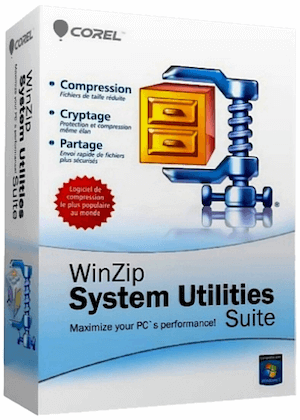
WinZip System Utilities
An easy to use software which provides very consistent results. First time buyers of PC tune up software should give...

Pinokio
Pinokio simplifies the complex process of running servers by allowing users to package all necessary commands and configurations into a...

Speccy
For those curious about their PC's inner workings, Speccy is an essential tool. It provides a clear overview of key...

PassFab 4WinKey
PassFab 4WinKey is an efficient Windows password recovery tool designed to quickly reset or remove forgotten administrator and user passwords...

CPU-Z
CPU-Z is a powerful tool designed for gathering information about a computer's hardware components. It provides insights into the processor,...

Wise Memory Optimizer
Wise Memory Optimizer is an essential tool for Windows users seeking to enhance their computer's performance. With a simple click,...
Avg PC Tuneup Review and Overview
Every system accumulates junk files with continued use and, consequently, eats up disk space and slows down performance. You may experience frequent crashes or constant buffering while surfing the internet. All your programs may slow down, and you may even find an annoyingly slow boot process. While you can manually remove the junk files, uninstall software, or update your application programs for improved speed, the process is often time-consuming and cumbersome. Automating the process with an advanced PC optimizer like AVG PC TuneUp takes the load off your hands and perks up your PC's performance to make it live longer.
More power to your PC
Speed up and tune-up your PC performance with AVG PC TuneUp's revamped Sleep Mode technology. This solution will put to sleep all the installed programs that pointlessly kill your RAM space. Only when you need them, it will power them up again. To further clean up the disk space, AVG PV TuneUp conducts automatic maintenance runs every week for tracking cookies, cache files, browser histories, and program residuals. It quickly identifies issues in your Windows registry and repairs them to avoid future errors, freezes, or system crashes.
Get rid of all junks with Avg PC Tuneup
To get rid of junks from the web and leftovers from programs or Windows files, AGV PC TuneUp comes equipped with a Disk Cleaner and a Browser Cleaner. To liberate your storage space, the Disk Cleaner deep cleanses your hard drive and scrapes all dead weights like installer files, cache, old backups, and temporary system files. The Browser Cleaner removes all impermanent online data on browsers like Internet Explorer, Chrome, Firefox, etc. to give you a less buggy, lighter, and faster surfing experience.
Speed up your system and stay updated
To steer clear of unwanted system problems resulting from old and unnecessary programs and trial versions, the Software Uninstaller of AVG PC TuneUp detects all bloatware and weeds them out. The Software Updater regularly checks for the latest available updates for your installed software like Skype, VLC, Java, etc. Over 50 of the most popular applications get automatically updated without any hassle. It ensures you get the best of the latest versions and do away with all bugs and security issues of the previous ones.
Company Information
- Company: AVG Technologies
- Country: The Netherlands
Top Avg PC Tuneup Features
- Sleep Mode technology
- Automatic Maintenance optimization
- Windows Registry cleaner
- Browser cleaning tools
- Storage space recovery
- Software Uninstaller for bloatware
- Real-time resource management
- App usage tracking
- Junk file removal
- Scheduled maintenance reminders
- Unused program detection
- Unique app rating system
- Move to Trash feature
- One-click junk cleanup
- Software Updater for security
- Temp file cleanup
- Background process management
- Enhanced gaming performance optimization
- User-friendly interface
- Seven-day free trial available
