
Nero Video
Nero Video enables users to create stunning videos with multi-track editing in HD, 4K, and 8K. It features AI-driven media management, diverse templates, and professional... Nero Video enables users to create stunning videos with multi-track editing in HD, 4K, and 8K. It features AI-driven media management, diverse templates, and professional effects like green screen and picture-in-picture. Effortlessly import, edit, and export videos, enhancing them with customizable templates and a variety of effects for captivating storytelling.
Top Nero Video Alternatives

MoviePlus
MoviePlus video editing system is featured with several powerful editing tools and effects to help users create amazing movies in...
VSDS Video Editor
Download a video editing software supported by both 32 and 64-bit versions from VSDS. The company offers downloads for video...

ActionDirector
ActionDirector empowers action camera enthusiasts to create stunning, high-impact videos effortlessly. With capabilities to handle 4K footage and high frame...

Filme
Filme is a cutting-edge video editing software designed for both beginners and professionals. It offers an intuitive interface, enabling users...

Dolby Vision
Dolby Vision revolutionizes video editing with post-production tools that streamline HDR and SDR content creation. Its dynamic metadata and tone...

MAGIX Movie Edit Pro
MAGIX Movie Edit Pro empowers users to craft stunning videos with its robust editing features. It offers an intuitive interface...
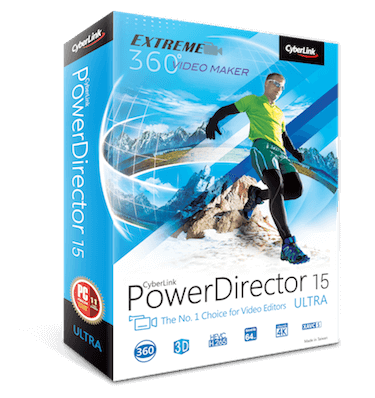
CyberLink PowerDirector
It's wonderful that PowerDirector's latest issue has tried to keep all users on the same page. The added features like...

MAGIX Video Pro X
MAGIX Video Pro X is a powerful video editing software designed for advanced users, featuring an intuitive interface that simplifies...

EaseUS Video Editor
EaseUS Video Editor empowers users to craft captivating videos with ease. Boasting over 400 effects and transitions, users can enhance...

Amara
The Amara Editor streamlines captioning and subtitling with its intuitive interface and advanced features, such as adjustable playback speed and...

Piktostory
Piktostory transforms video editing into a seamless experience, allowing users to effortlessly create engaging short clips from longer content like...

DVDVideoSoft Free Video Editor
This free video editing software allows users to easily trim and cut unwanted sections from their videos without re-encoding, preserving...

VLMC
Interested in making awesome movies using the best software online? Consider options from VLMC, offering a platform to edit movies,...
Telestream Vantage
Telestream Vantage offers powerful video transcoding and workflow automation solutions tailored for diverse needs. It excels in live webcasting, screencasting,...
Brightcove Zencoder
Zencoder is a cloud-based video encoding platform designed to empower content creators in delivering high-quality video to global audiences. With...
Nero Video Review and Overview
Video marketing has gained a lot of prominence in the last few years. Videos in different formats like video ads, video help guides and product description videos are used to attract the attention of leads and prospective clients. Engagement rates over videos have been found to be higher than other communication mediums.
Large corporations have a team of employees who handle video marketing campaigns. However, there are a lot of small and medium level businesses who cannot afford to hire special teams for such niche working areas.
Target audience
In fact, in a lot of early-stage startups and small businesses, business owners like to handle the marketing of their products themselves. And Nero video empowers those business owners to create videos for their marketing campaigns.
It has a collection of close to a thousand movie themes and effects that can be used to create customized videos. It lets users transfer their video and image files from a variety of external devices like pen drives, hard drives, SD cards and store them centrally in the Nerohomemedia library.
Working
Once the media files are transferred, movie posters and titles get automatically created. Further, the images can be used to create videos and slideshows with music effects and transition effects such as tiltshift, old film, slow-motion, key-frame animations etc. With the 1-click bar, remover content can be modified to make it more suitable for bigger display screens. In addition to these features, Nero video also supports editing videos of different formats like 4k, HD and SD.
Nero video even lets users design disc covers with Nerocoverdesigner and professionally play the disc. Videos can be streamed directly to smart TVs and other devices wirelessly using the Nero streaming player app.
Nero video lets users do almost everything there is to do with videos and images and backs it up with a robust platform that is reliable as well as affordable at the same time.
Company Information
- Company: Nero AG
- Country: United States
Top Nero Video Features
- Multi-track video editing
- HD
- 4K
- and 8K support
- AI-based media management
- Portrait video support
- Alpha channel effects
- Picture-in-picture effects
- Centralized media library
- Automatic film titles creation
- OneDrive integration
- 1-Click Video Story creation
- Over 1000 movie templates
- Vertical video editing
- High-quality disc menus
- Nero CoverDesigner included
- Oscar-worthy streaming functions
- WiFi Transfer app
- Wireless media transfer
- Easy-to-use audio filters
- Keyframe animations
- Customizable disc covers.
