
VivaVideo
VivaVideo is a leading video editing app available on both iOS and Android platforms, favored for its intuitive storyboard editing style. Users can easily load, trim, and... VivaVideo is a leading video editing app available on both iOS and Android platforms, favored for its intuitive storyboard editing style. Users can easily load, trim, and arrange clips, creating polished videos suitable for both beginners and seasoned creators, including YouTubers. Its stellar interface has earned it top ratings on the Google Play Store.
Top VivaVideo Alternatives

Clipify
Clipify is a versatile video editing software that supports over 50 popular formats, including AVI, MP4, and MOV. Users can...

Any Video Converter Ultimate
Any Video Converter Ultimate revolutionizes video editing with its extensive features. Users can efficiently record videos, convert them to over...
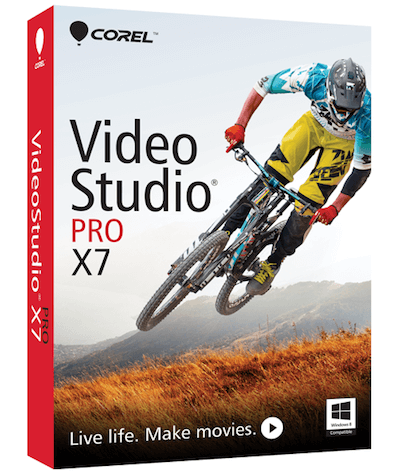
Corel Video Studio
Corel Video Studio is a cost-effective, feature-rich video editing program. It is easy to use and does not require a...

Wisecut
An innovative AI video editor analyzes footage to extract engaging snippets, functioning like a personal editor attuned to audience preferences....
Titler Pro
Titler Pro™ revolutionizes video editing by providing an intuitive platform for creating stunning 3D animated titles and motion graphics. With...

Fastreel
Fastreel is a versatile online video editor empowering users to effortlessly create and enhance videos directly in their browser. With...
TotalFX
TotalFX is a powerful video editing software offering over 1,500 presets across 177 plugins. It features NewBlue Titler Pro for...

Panzoid Video Editor
Panzoid Video Editor is a free, open-source online platform that empowers users to create and edit videos with ease. It...

Live3D VTuber
Designed for virtual creators, Live3D VTuber offers innovative tools like VTuber Maker and VTuber Editor. With nearly 1 million users,...

Gling
Gling revolutionizes video editing for YouTube creators by harnessing advanced AI technology. It effortlessly streamlines workflows, removing unwanted takes and...

muvee Reveal Encore
Muvee Reveal Encore empowers businesses to craft engaging promotional videos effortlessly. With the ability to add captions, select from over...

UnrealFront
UnrealFront harnesses cutting-edge MarTech intelligence, integrating global big data with innovative ads creative and 3D content generation. Catering to diverse...
LetroStudio
LetroStudio streamlines video production from planning to evaluation, ensuring impactful results. Users can easily create videos by dragging and dropping...

Gilisoft Video Editor
This user-friendly video editing software empowers creators to effortlessly cut, join, and split videos without quality loss. With features like...

Ssemble
Trusted by over 100,000 creators, this innovative video editing tool harnesses AI to identify viral moments, center faces, and add...

Banuba Video Editor SDK
The Banuba Video Editor SDK empowers developers to integrate a robust video editing solution into their apps quickly. It offers...
Some links on this page are affiliate links, marked Partner: we may earn a commission if you buy, at no cost to you. It doesn't affect which products we list.
Company Information
- Company: VivaVideo
- Country: China
Top VivaVideo Features
- Storyboard editing style
- User-friendly interface
- Professional-grade tools
- Multi-platform compatibility
- Extensive video effects
- Customizable text overlays
- High-quality export options
- Built-in music library
- Easy clip trimming
- Real-time preview feature
- Social media sharing options
- Comprehensive tutorial resources
- Multi-track editing capabilities
- Fast rendering speed
- Animated stickers and filters
- Voiceover recording option
- Color correction tools
- Speed adjustment features
- Template-based video creation
- Seamless video transitions
