
DeftPDF
Users can effortlessly reduce the size of their PDF files with this tool, allowing for the compression of one or multiple documents up to 50 MB. It ensures secure uploads... Users can effortlessly reduce the size of their PDF files with this tool, allowing for the compression of one or multiple documents up to 50 MB. It ensures secure uploads over encrypted connections and offers customizable options for image quality and resolution. After processing, files can be easily downloaded or saved to online accounts.
Top DeftPDF Alternatives

PDF Candy
Offering a user-friendly interface, PDF Candy allows seamless file handling, including conversion, splitting, merging, and rotating of PDFs. Users can...
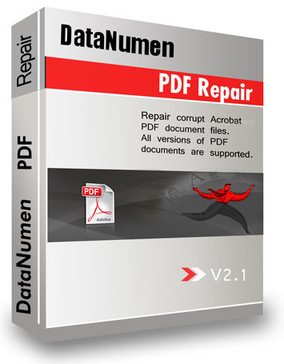
DataNumen PDF Repair
DataNumen PDF Repair is an advanced PDF editor designed to efficiently restore corrupt or damaged Adobe PDF files. This software...

pdfDocs
pdfDocs is an advanced PDF editor designed for legal professionals, allowing seamless document editing, annotation, and collaboration. With its intuitive...

MuPDF
MuPDF is a high-performance library designed for efficient management of PDFs and various document formats. Built in C, it excels...
LightPDF
LightPDF is a powerful PDF editor software designed to enhance document management. It enables users to effortlessly modify text, images,...

PDF Complete
Combining essential tools from Corporate Edition with sought-after features from Office Edition, PDF Complete enhances user experience with a streamlined...
Power PDF
Power PDF is an award-winning PDF editor trusted by over 10 million users. Its intuitive, Office-style interface empowers individuals and...

Win PDF Editor
Win PDF Editor is an intuitive software designed for seamless PDF editing. Users can effortlessly modify text, images, and pages...

Sejda PDF Editor for G Suite
Sejda PDF Editor for G Suite allows users to effortlessly edit, merge, and convert PDF files directly within their Google...
PDFRun
Users can effortlessly upload and manage their PDF documents with this intuitive platform. It allows editing, filling out, signing, and...
FormSwift
Looking for free-form resources online? Visit an online site offering tons of free legal forms on tax, real estate, small...
PDF Page Editor Pro Edition
PDF Page Editor Pro Edition transforms PDF management on Mac, offering capabilities to merge, split, extract, rotate, and rearrange pages...

novaPDF
novaPDF is a PDF printer software that lets you create pdf documents that are searchable and correctly aligned. It has...


Epubor
Epubor offers a versatile eBook management solution, enabling users to convert and read various formats, including Kindle and Kobo, on...
DeftPDF Review and Overview
PDF is becoming a universal format across workspaces but it’s tricky to edit them for someone new to the game. Deft Pdf editor is a simple and swift way of editing PDFs.A quick tour through the site reveals how feature-packed the editor is. It’s a one-stop solution for professionals and students who work on PDFs day-in-day-out.
Cross-functional editor
Deft editor works across Mac, Windows, Android and iOS seamlessly. It has both online and offline solution for PDF editing. It also allows users to start with a blank document, so users don’t have to run through ten different sites to get their work done. Files are deleted after editing and downloading is done to maintain user's privacy. Apart from English, the site supports 19 different languages. It also converts other file formats to PDF be it JPG, word, excel, Epub and vice-versa.
Unrestricted Editing
Deft has left no stone unturned while looking for features, the editor supports annotating to highlight or to strikethrough texts. To add images, we simply have to upload them to the deft servers and drag them to documents. You can add a URL either to an external site or to an internal page of your pdf. The editor auto-detects forms and helps in filling them. You can cover specific texts or images with ‘whiteout’ or find a particular word to be replaced in the whole document. The ‘Forms’ tab enables form field creation or manipulation. The editor allows signing and watermarking of pdfs as well. It unlocks password-protection and other restrictions imposed on PDF.
Effortless Multitasking
Deft Pdf editor lets users perform multiple tasks cohesively. The ‘Bates Numbering’ lets you stamp single or multiple pages in one go. Users can split and merge PDFs, generate invoices, compress their size with image manipulation, grayscale text and images, translate an entire document, N-up or impose a PDF, extract certain pages, resize page margins or recover data from a corrupted file. Thus imagination is the only limit with Deft PDF editor.
Company Information
- Company: SictecInfotech
Top DeftPDF Features
- Encrypted file uploads
- Permanent file deletion
- Multiple file compression
- Image quality configuration
- Image resolution adjustment
- Grayscale image conversion
- Compression speed selection
- Save to cloud storage
- Email sharing options
- Print directly from tool
- Rename files after compression
- Continue editing after compression
- User-friendly interface
- Free basic service
- Premium plan for larger tasks
- File size limit of 50 MB
- Fast processing times
- Accessible from any device
- Built-in PDF tools
- Established since 2013.
