
PDF Complete
Combining essential tools from Corporate Edition with sought-after features from Office Edition, PDF Complete enhances user experience with a streamlined interface, advan... Combining essential tools from Corporate Edition with sought-after features from Office Edition, PDF Complete enhances user experience with a streamlined interface, advanced editing capabilities, and superior Microsoft Office conversions. Users can explore extensive resources, including tutorials and FAQs, to maximize their productivity and efficiently resolve support issues.
Top PDF Complete Alternatives
LightPDF
LightPDF is a powerful PDF editor software designed to enhance document management. It enables users to effortlessly modify text, images,...
PDFplatform
This PDF editor software transforms document creation with customizable templates and automation, ensuring tailored, error-free quotes for every client. It...
PDFExpert
Need a powerful and flexible editor to manage PDF files in Mac? Download a software specifically designed for users, offering...

Win PDF Editor
Win PDF Editor is an intuitive software designed for seamless PDF editing. Users can effortlessly modify text, images, and pages...
Why Win PDF Editor as a PDF Complete alternative?
- Reviewers get free licenses, unlike PDF Complete's demo
- Support promises 24-hour email replies
PDFRun
Users can effortlessly upload and manage their PDF documents with this intuitive platform. It allows editing, filling out, signing, and...
Why PDFRun as a PDF Complete alternative?
- Runs online, unlike PDF Complete for Windows, with no installation required
- Stores documents in cloud storage
KDAN PDF Reader
KDAN PDF Reader is an innovative AI-powered tool that simplifies PDF management across all devices. Users can effortlessly view, edit,...
Why KDAN PDF Reader as a PDF Complete alternative?
- Uses subscription plans, rather than PDF Complete's no-subscription model
- Runs on iOS, Android and Mac, versus PDF Complete's Windows focus
- Offers a free version with signing, compared with a free demo
Systweak PDF Editor
Systweak PDF Editor offers a versatile suite of tools for managing PDFs efficiently. Users can edit, convert, compress, and protect...
Why Systweak PDF Editor as a PDF Complete alternative?
- Offers a yearly auto-renewing plan, unlike PDF Complete's no-subscription model
- Includes a 60-day money back guarantee versus PDF Complete's free demo
- Provides 24x7 email support
- Also runs on macOS

MuPDF
MuPDF is a high-performance library designed for efficient management of PDFs and various document formats. Built in C, it excels...
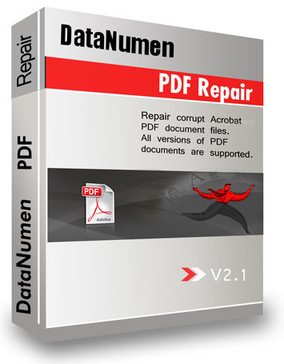
DataNumen PDF Repair
DataNumen PDF Repair is an advanced PDF editor designed to efficiently restore corrupt or damaged Adobe PDF files. This software...

DeftPDF
Users can effortlessly reduce the size of their PDF files with this tool, allowing for the compression of one or...
PDF Page Editor Pro Edition
PDF Page Editor Pro Edition transforms PDF management on Mac, offering capabilities to merge, split, extract, rotate, and rearrange pages...

PDF Candy
Offering a user-friendly interface, PDF Candy allows seamless file handling, including conversion, splitting, merging, and rotating of PDFs. Users can...


pdfDocs
pdfDocs is an advanced PDF editor designed for legal professionals, allowing seamless document editing, annotation, and collaboration. With its intuitive...
Power PDF
Power PDF is an award-winning PDF editor trusted by over 10 million users. Its intuitive, Office-style interface empowers individuals and...

i Love PDF
An easy-to-use PDF editor software can help you a lot in managing your workflow when working with your PDF documents....

Sejda PDF Editor for G Suite
Sejda PDF Editor for G Suite allows users to effortlessly edit, merge, and convert PDF files directly within their Google...
Some links on this page are affiliate links, marked Partner: we may earn a commission if you buy, at no cost to you. It doesn't affect which products we list.
PDF Complete Review and Overview
The employees have to process a lot of documents in a single day. Corporations have a lot of employees, and a slow system can affect the workflow significantly. In the long run, the small delays cause a lot of losses to the establishments. The time also gets wasted in this process. PDF Complete helps the organizations to eliminate this problem with its platform. The system allows the users to edit the documents with agility. The user interface of PDF Complete is simple and adapts as per the needs of the users.
Quick editing
PDF Complete allows the users to edit the documents without using any third-party application. All the tools required for modifying the details are available on PDF Complete. The users can change the text or the background of the file with a simple click. It also allows the users to add media in the PDF files easily. Most of these functions are not available in conventional editors and viewers. PDF Complete adds a lot of convenience to the process. The simple yet useful tools provide a lot of functionality to the users.
Conversion
The users can convert the documents easily into different formats with PDF Complete. It has broad compatibility and offers a vast range to the users. The conversion of the files takes a minimal amount of time and gives quick results. Users can switch between different formats without any hassle.
Snip tool
PDF Complete has a built-in feature for selecting specific selections of the documents. The tool allows the users to save the snippets into their system. PDF Complete helps the users to add their signature digitally in the files. It also allows users to change the security details of the data to ensure privacy and safety.
Company Information
- Company: Pdfcomplete
- Country: United States
Top PDF Complete Features
- Streamlined user interface
- Advanced editing tools
- Enhanced Microsoft Office conversions
- Comprehensive support tutorials
- Quick access to downloads
- Trouble ticket submission
- Responsive technical support
- Knowledgebase for FAQs
- Free demo available
- MyAccount page for downloads
- PDF watermark management
- Corporate Edition features included
- Office Edition features integrated
- User-friendly navigation
- Step-by-step learning resources
- Customizable tool settings
- Multi-device compatibility
- Batch processing capabilities
- Annotation and markup tools
- Secure document sharing options
